

Release note 7.1.0
Retrospective 7.1 - Finding gaps in your log data
16 January 2026
Archived release note from January 2026. It describes Retrospective 7.1.0; the program looks and works differently today. Current version · All releases
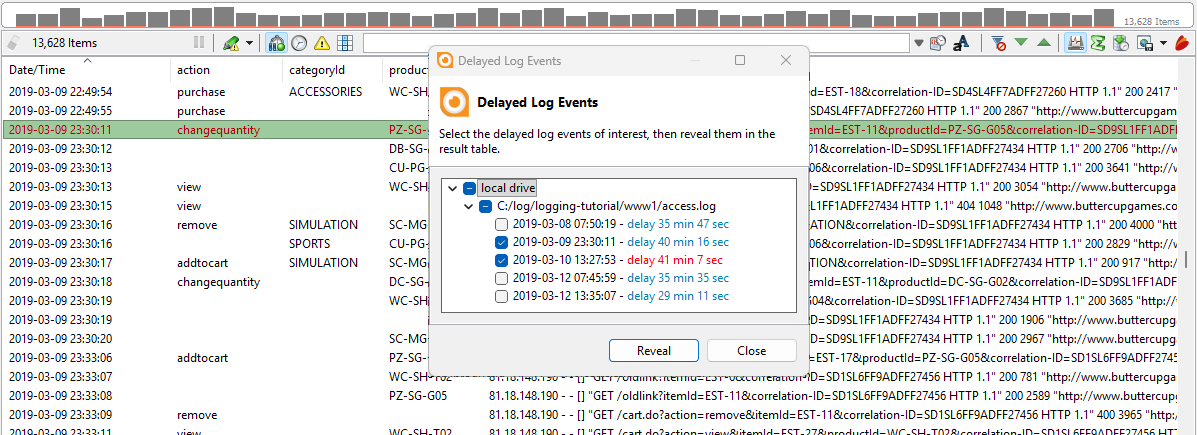
Detecting Delayed Log Events
Motivation
If computer programs temporarily stop writing log data, this may indicate a network, storage, or general data processing problem. Retrospective lets you easily find such gaps. To do so, it examines collected log data and finds log events that were written with an unexpected delay relative to the preceding event. This allows you to quickly and easily identify periods during which processing was irregular.
Detection Options
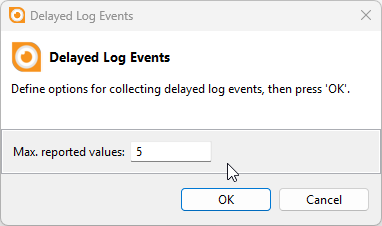
First, tell Retrospective how many of the most delayed log events it should find for you and how detection shall be done.
Detection Result
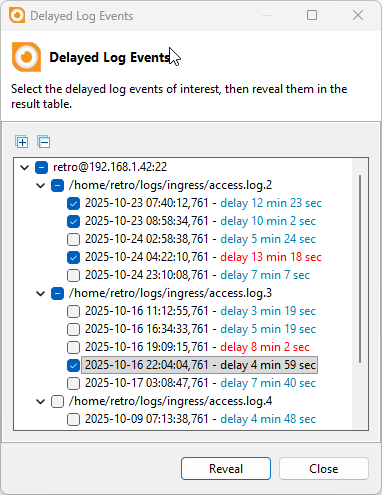
Retrospective then starts searching for delayed log events and displays their Date/Time together with the delay time in the result dialog.
Revealing Detection Result
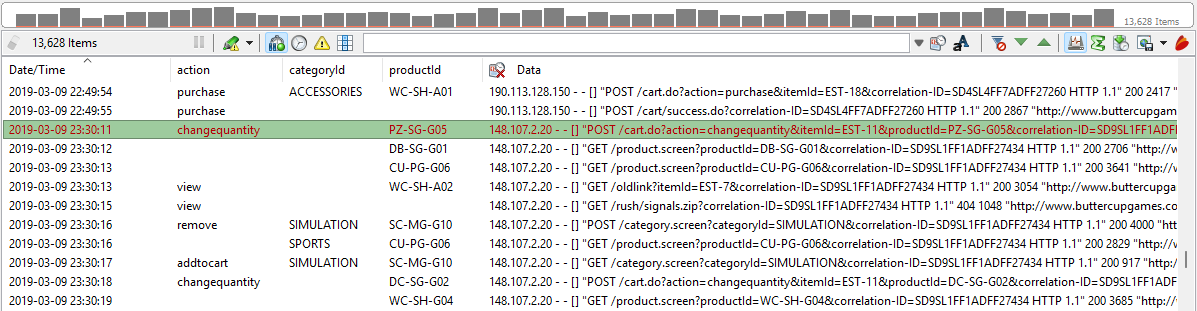
Individual or all detected delayed log events may be selected and revealed in the result table.
-
The entire data of the result table is sorted by the Date/Time column in ascending order.
-
A new local filter is added to the current search tab; it internally points to the selected log events. The
 button is marked with a green bullet
 , this indicates that this special local filter is now active.
-
Selected log events are filtered and revealed inside the result table depending on the state of "Filter out" toggle button.

Indicates that only filtered log entries are shown, you won’t see log entries that preceded the delayed event. 
Indicates that all log entries are shown but filtered ones appear with red text and are highlighted with a green background color. To view other filtered entries, use the navigation buttons  and
 .
Improved Autofind for Container
When a container is started or stopped, it usually produces log data of different format than the application it contains. This may cause problems during Autofind where only application log data should be analyzed for finding the date/time pattern and the log entry split expression.
New options are now available on the Autofind preferences page. They instruct Retrospective to optionally analyze container log data at the end of the log stream, those improving the quality of the detected date/time pattern and the log entry split expression.
Ongoing Maintenance
As always, we have made great efforts to improve the quality of our software. We have updated the underlying Eclipse target platform along with various libraries and fixed several bugs. For further details, please consult the Retrospective 7.1.0 release notes.