

Release note 7.3.0
Retrospective 7.3 - Refinement and reliability
4 September 2026
Archived release note from September 2026. It describes Retrospective 7.3.0; the program looks and works differently today. Current version · All releases
Version 7.2 was a big release. It brought German and Japanese to the user interface, new filesystem and preview options, and a lot of new surface area along with them. Version 7.3 is the pass that goes back over all of it.
There is no headline feature this time, and that is the point. This release is about the details you notice every day.
Polishing the multi-language experience
Shipping a translated interface is one thing, getting it right is another. We have corrected a number of Japanese translations, fixed places where Japanese and English strings were mixed up, and made word-wrap break Japanese text where it should. Tooltips in the Preferences dialog no longer show the help text of the option next to the one you are pointing at.
Faster searching over SSH
Searching large log files through SSH has been noticeably sped up. If your logs live on remote hosts and you have been waiting on results, this is the change you will feel first.
Working without disk storage
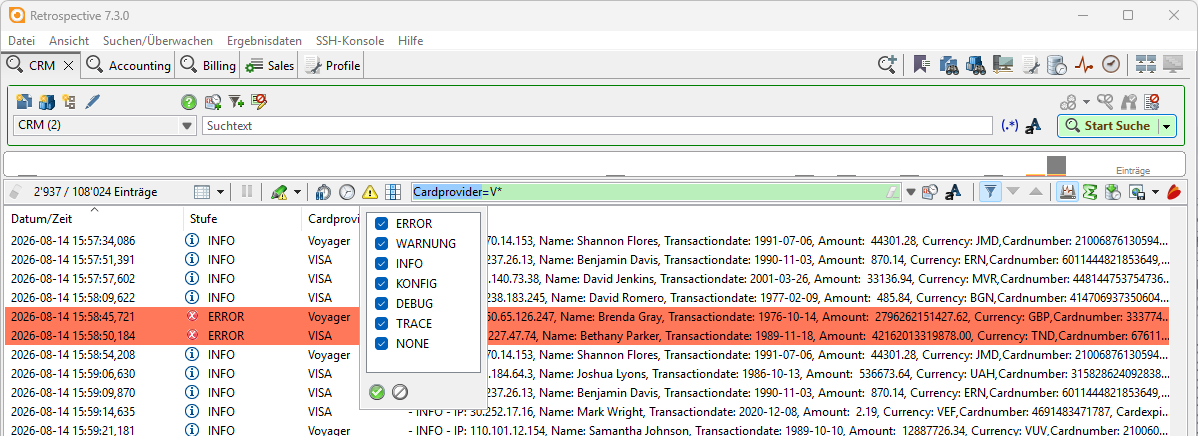
Retrospective can be run with disk storage disabled, keeping everything in memory. Two things did not behave correctly in that mode: filtering by log levels had no effect, and the number of filtered items was not reported at the top left of the result table. Both work as expected again.
Ongoing maintenance
As always, we have made great efforts to improve the quality of our software. We have updated the underlying Eclipse target platform to 2026-06 along with various libraries. Beyond that, the incremental search in the Find dialog of the result detail view is no longer misleading, the toggle buttons for XML/JSON syntax highlighting and for switching between flat table and matrix in aggregations show the right icons and tooltips, the in-memory data frame is reloaded again when you navigate to the upper or lower end of the result table with the keyboard, and JavaScript resources are now installed correctly on Mac. For further details, please consult the Retrospective 7.3.0 release notes.
A note for WinSyslog users
Not a 7.3 feature, but a documentation note. If you collect syslog messages on Windows with WinSyslog, Adiscon's syslog server, Retrospective reads the files it writes like any other log file: point it at the log directory, on the WinSyslog machine or on a mapped network drive, and search or monitor. Our manual and FAQ now say a few words about it.
Already using Retrospective? Update to the latest version and enjoy a smoother ride.