

A customer's systems
Why does the service crash every night?
You are on site at a customer. Their business application runs as a Windows service and keeps its data in PostgreSQL on a Linux server. For two weeks the service has stopped every night around 02:00. The Windows admins blame the software, the database admin says the database is fine.
-
Three sources, nothing installed
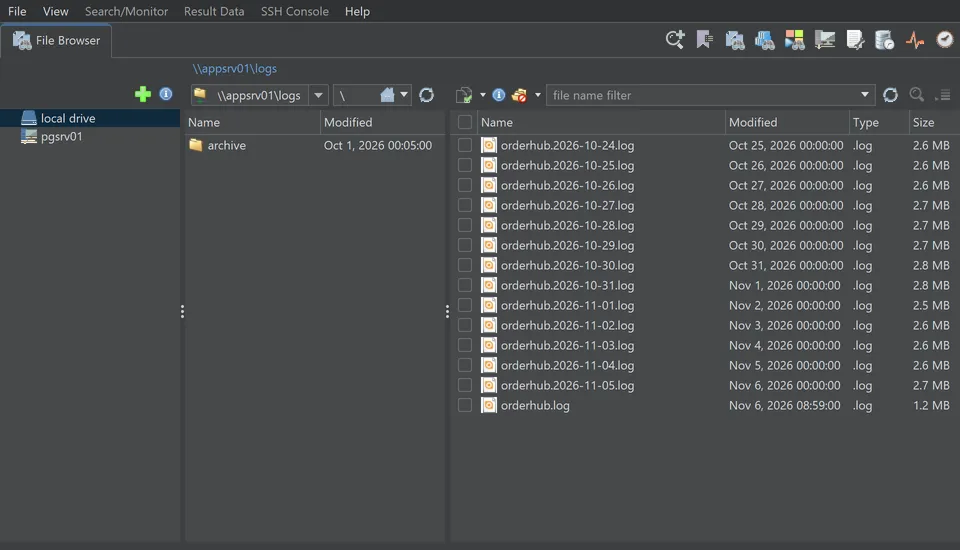
The application log: open the share
\\appsrv01\logsin the File Browser, no host definition needed. The Windows events ofappsrv01: add it as a Windows host. The database log: add the DB server as an SSH host. Nothing is installed and access is read-only; you only need accounts with read rights.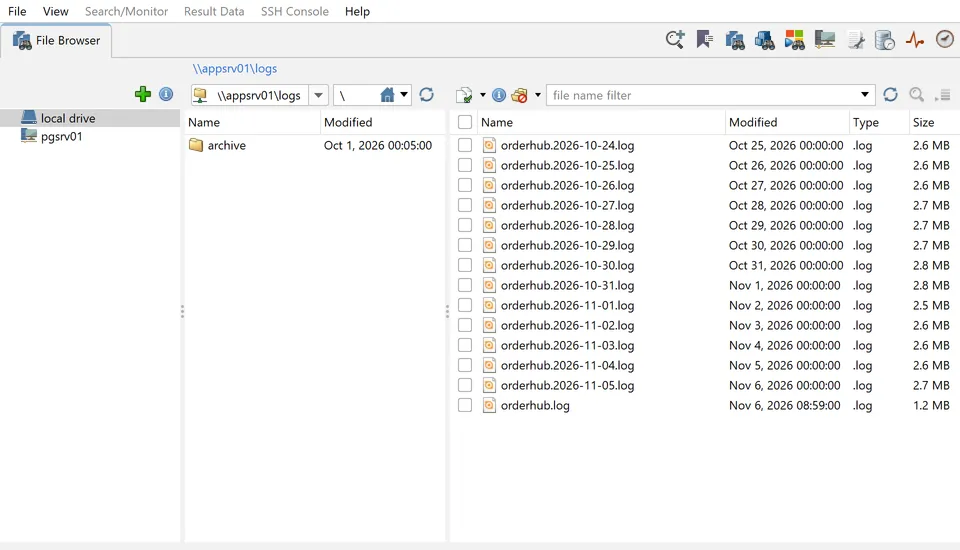
-
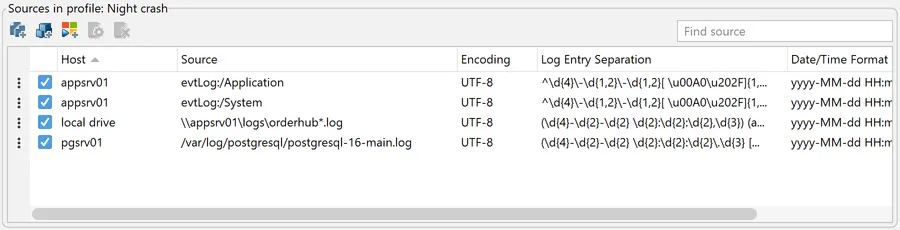
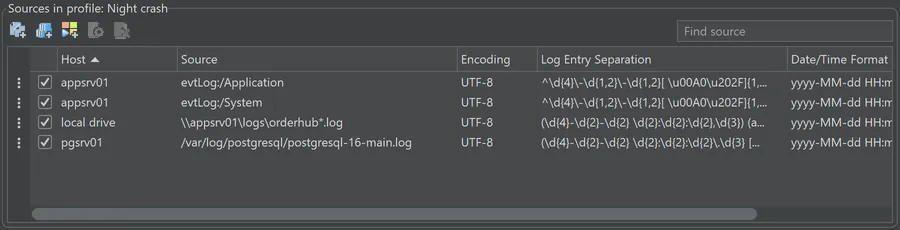
One profile: "Night crash"
The three sources in one profile, so one search covers all of them, tonight and on the following nights.
-
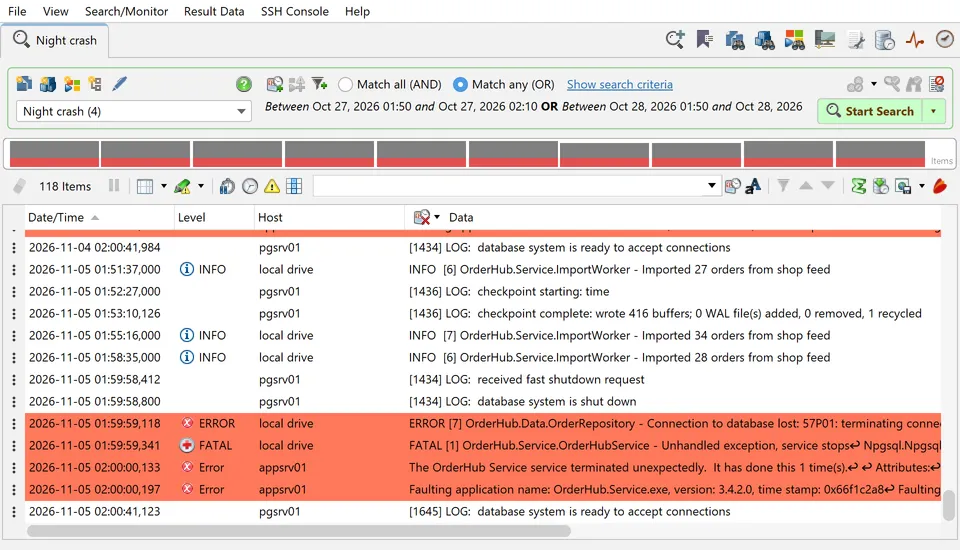
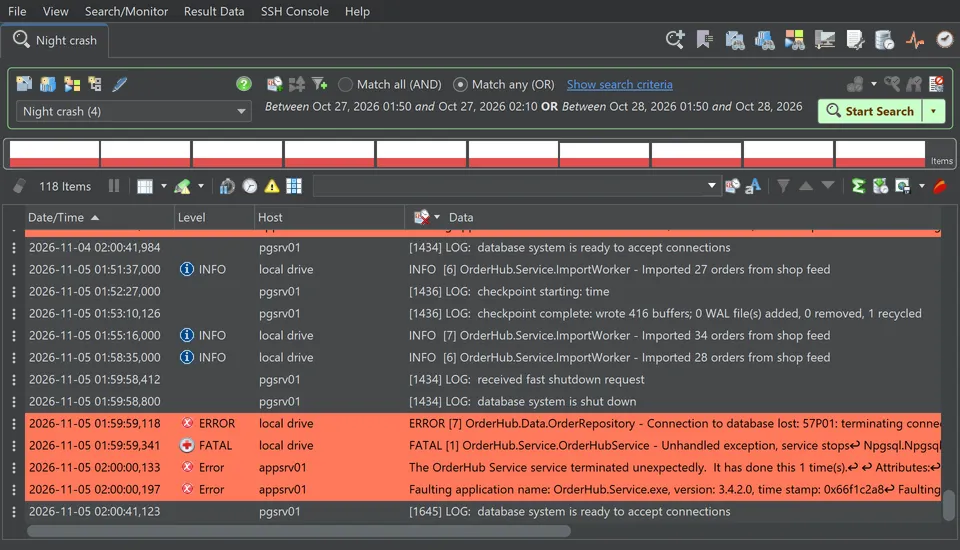
Search 01:50 to 02:10, the last ten nights
One table, sorted by time. PostgreSQL writes its timestamps in UTC, the application in local time; Retrospective converts both to your time, so the lines from the three systems fall into the right order.
-
Every night the same order
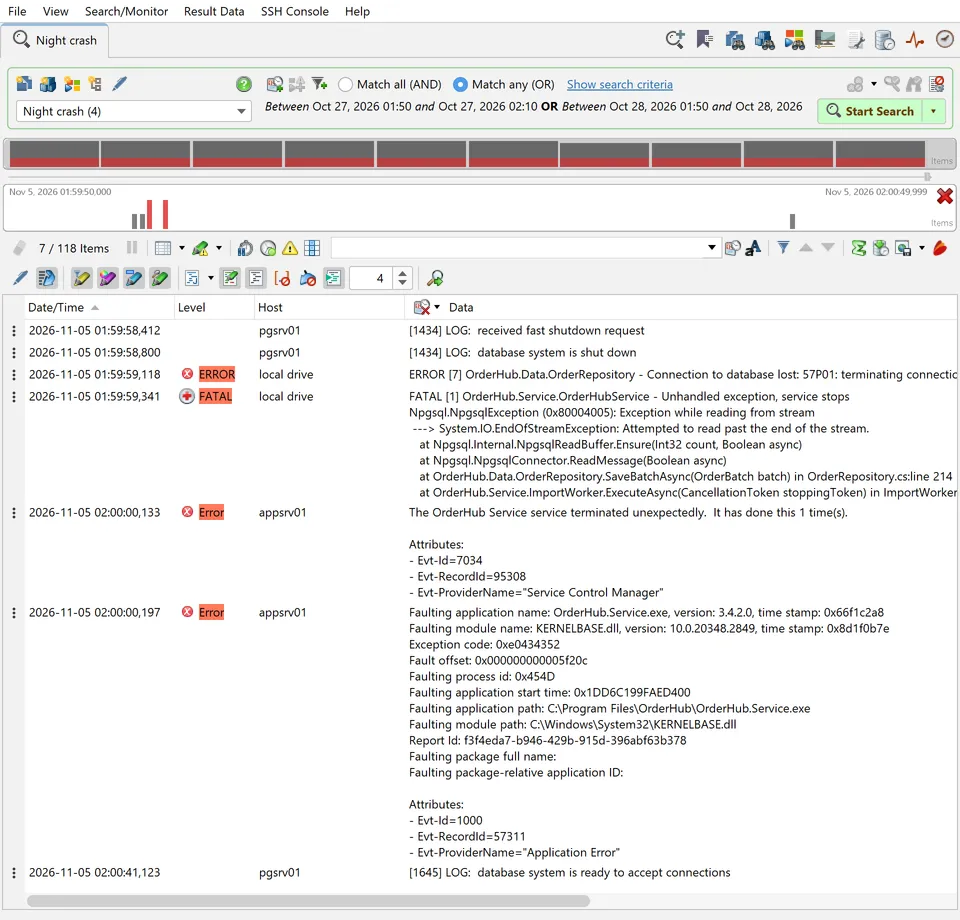
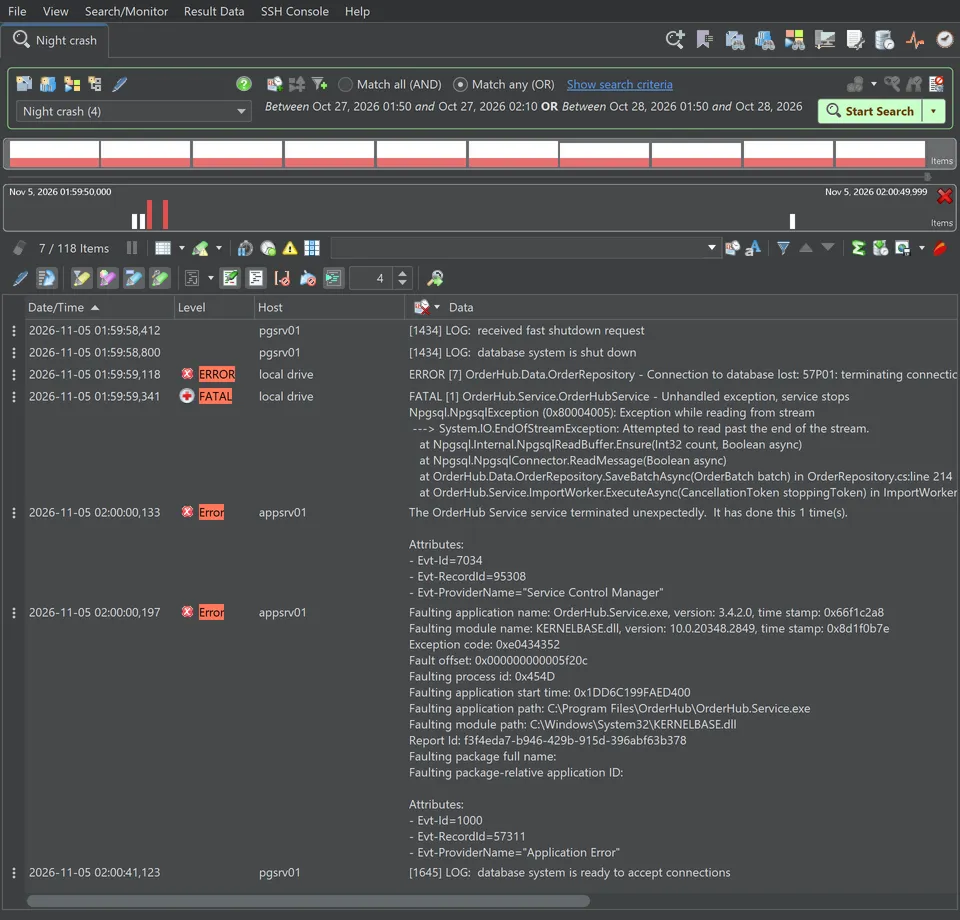
Zoom the chart to one night and switch the table to multi-line rows: every entry is shown in full, the stack trace and the Windows error report included.
01:59:58 PostgreSQL: received fast shutdown request. 01:59:59 application: connection to database lost, then an unhandled exception. 02:00:00 Windows: Service Control Manager
7034, terminated unexpectedly, and Application Error1000. 02:00:41 PostgreSQL: ready to accept connections.A backup script added on the DB server two weeks ago stops the database for 40 seconds. The application doesn't reconnect. Two fixes, one for each team.
-
Leave it with the customer
Export the table for your report. Export the hosts and the profile, without passwords, and the customer's admins import them and run the same search after the fix.


Good to know
- SharesOn Windows, type a UNC path such as
\\server\shareinto the File Browser. On macOS and Linux, mount the share first. - AccessRetrospective installs nothing and only runs read-only commands. It works with the accounts the customer gives you.
- TimeTimestamps with a time zone are converted automatically. For logs without one, switch on Time zone fallback for the host; a clock that runs off is corrected per host.
- Handing overExporting hosts and profiles is free. Passwords stay out unless you choose to include them, encrypted with an export password.
- Free versionSearching all three sources is free. Exporting the result table for the report needs a licence.
Related notes: What a gap in a log can tell you
Retrospective is a desktop app for Windows, macOS and Linux. Send yourself the link and install it on your computer.