11.3. Import from Previous Version
You can install a new version of Retrospective over the existing one. There is no need to export and restore your settings and data beforehand.
Retrospective keeps the configuration and data of each release in its own per-version folder under the Retrospective home directory (see Changing Configuration Location). A newly installed version therefore starts with empty settings, but it can import what you need from a previous compatible release. The importer looks only in the folder that holds the current version folder, also when you set a custom home, and offers only versions older than the running one.
On the very first start of a newly installed version, Retrospective looks for previous releases by itself. It opens the importer when it finds a compatible one. What it offers depends on whether the new version can read the previous release’s database:
If that database is compatible, the importer offers everything for the most recent such release: the configuration and the collected data. The dialog is titled Import all from previous version.
If it is not compatible, only the configuration is offered, and the dialog is titled Import configuration from previous version.
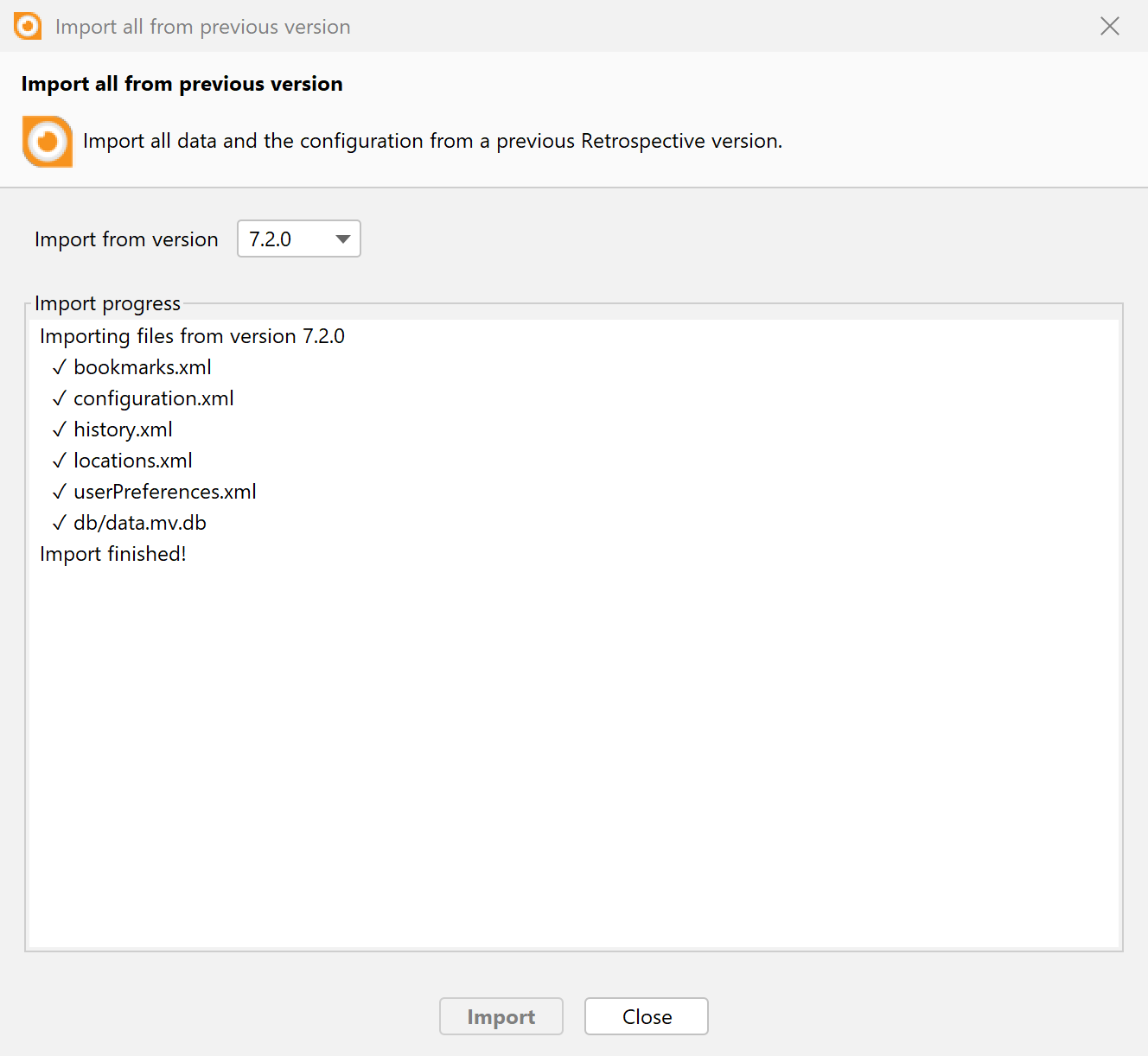
Fig. 11.20 The Import all from previous version dialog.
Click Close to skip the import. The offer does not return on later starts, and the File menu imports only the configuration. Collected data that you skip here cannot be imported later.
To import the configuration at any time, choose
 . The Import from version drop-down lists
every compatible previous release, newest first. Select one and click
Import. When no compatible release exists, the
Configuration importer message says Nothing to import. At the
first start nothing is shown in that case.
The File menu always imports the configuration only. That covers profiles, hosts, bookmarks, history, preferences and result snapshot definitions. The collected log data stays behind, and so do the previous release’s last-session view and its result definitions. Both refer to log entries in the database. The database is not copied, so a configuration-only import leaves your snapshots without their entries.
The stored host keys (see Server Identity) come along too, but only while the new version has none of its own yet. Otherwise the import keeps the new version’s keys and warns: Stored host keys were not imported because this version already has its own. You then confirm each host again the first time you connect to it.
The Import progress list shows each copied file. The import ends with Import finished!, or Import finished with error! followed by the reason; a count of warnings is added when there were any. Close is disabled while the import runs. After an error, click Import to try again.
Imported hosts, profiles, bookmarks, history, preferences and saved views are available at once. The filter history, the last-accessed locations and the snapshots take effect after a restart. Restart Retrospective before you continue working, so a new filter, location or snapshot does not overwrite those imported files.
Older releases allowed log level configurations to share a name. The import renames them: the second becomes Name (2), the third Name (3). A blank name stays as it is; the Log Level Definitions page reports it.
Note
Importing overwrites your current configuration. In configuration-only mode, the dialog says so in red when the previous release has a database: Note: The import overwrites the existing configuration!
Note
The database of the previous release cannot be copied while that release is still running. The import then stops with The database of the previous release is in use (<file>). Close the running Retrospective instance and click Import again.
11.3.1. Stored Credentials
Passwords, key passphrases and imported SSH keys come across with the configuration and keep working, with nothing to do on your part. Every release installed on a machine shares one keystore, which sits above the per-version folders (see Changing Configuration Location). The imported configuration is therefore opened by the same key that wrote it. If you have set a master password, Retrospective asks for it once. It asks the first time a connection needs a credential, not during the import, which needs no decryption.
Importing from a release older than 8.0 additionally re-encrypts the credentials it brings in, once, under the current key. This happens by itself. If Retrospective is locked at the time, it happens at the next unlock.
Warning
This importer reads other releases installed on this computer. A configuration file copied from a different machine cannot be opened here, because its keystore stayed behind. Retrospective reports this rather than silently blanking the credentials. To move a configuration between machines, export it with an export password instead; see Sharing a Configuration.